The website you’d make if you had the time.

The easiest way to give your content a home—and keep that home fresh.

Get started
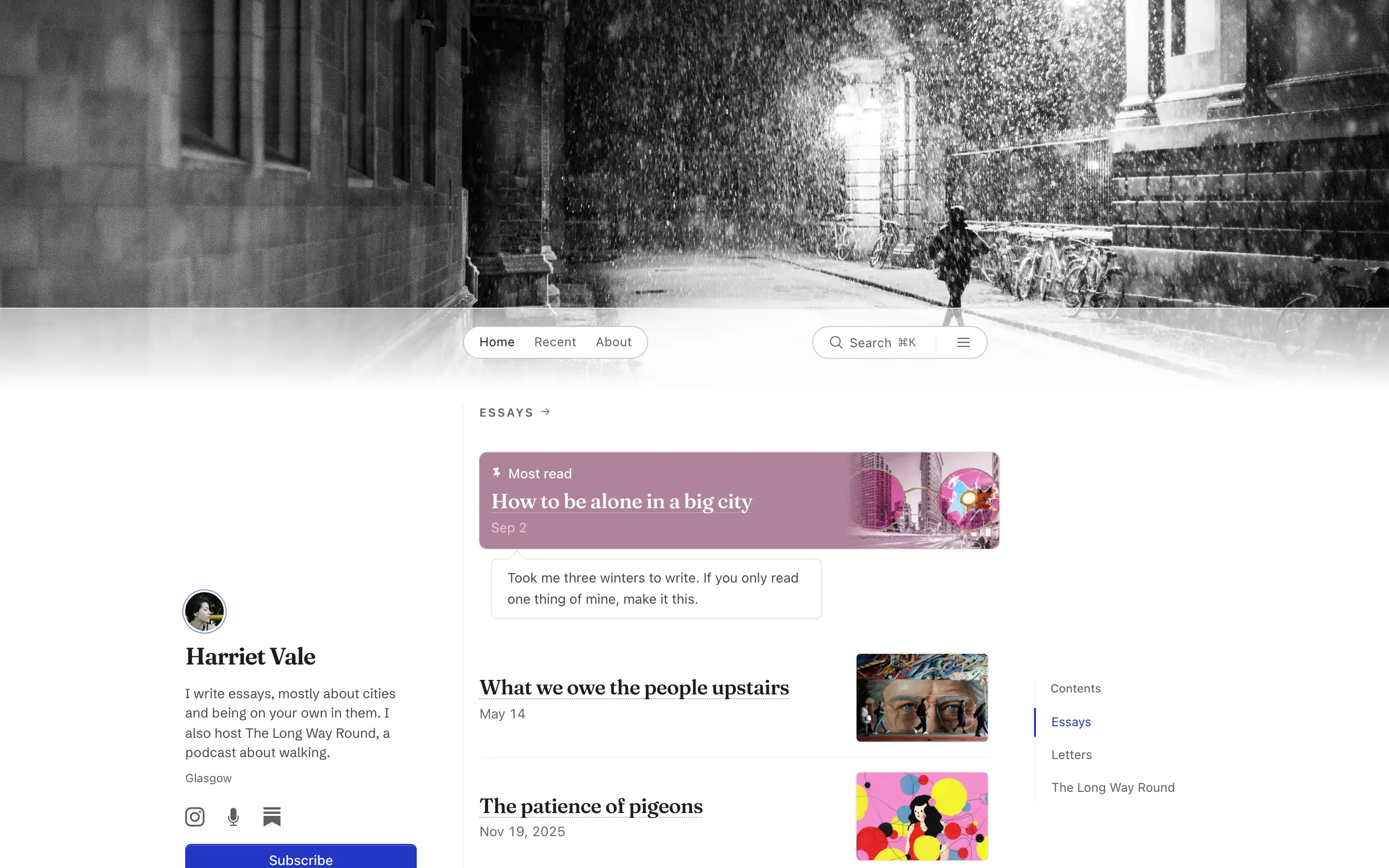
Essayist and podcaster on a laptop: Harriet Vale’s essays, newsletter, and podcast. New ones show up on their own. Fellowship alumni on a laptop: What a writing fellowship’s fellows published this year, pulled in from their own newsletters. Grant project on a laptop: Everything one five-year grant has produced so far, kept where the funder can find it. Press room on a laptop: A restaurant’s reviews and write-ups, plus the menu and fact sheet journalists keep asking for. Patient foundation on a laptop: A parent-run charity keeping every new paper on a rare syndrome, each explained for families. Church on a laptop: Service times, sermons, a supper sign-up, and who to call, easy for a newcomer to find. Homeschool co-op on a laptop: Reading lists by grade, the class schedule and term sign-up for a homeschool co-op. Literary agency on a laptop: A small literary agency’s clients and deals, with new books added as they’re announced. Therapist’s resources on a laptop: The worksheets and reading a therapist would otherwise email to every new client. Guest appearances on a laptop: A founder’s podcast guest spots, talks and interviews, in one list instead of a spreadsheet. Writers’ collective on a laptop: Seven newsletter writers sharing one page, with all their new posts in a single list. Writer’s library on a laptop: About four hundred essays, papers, talks and reading notes by one writer, sorted into lists. Digital garden on a laptop: Just four things Sam Whitlock thinks are worth your time. Student’s portfolio on a laptop: A planning student’s projects, first paper, slides, and reading, gathered over four years.
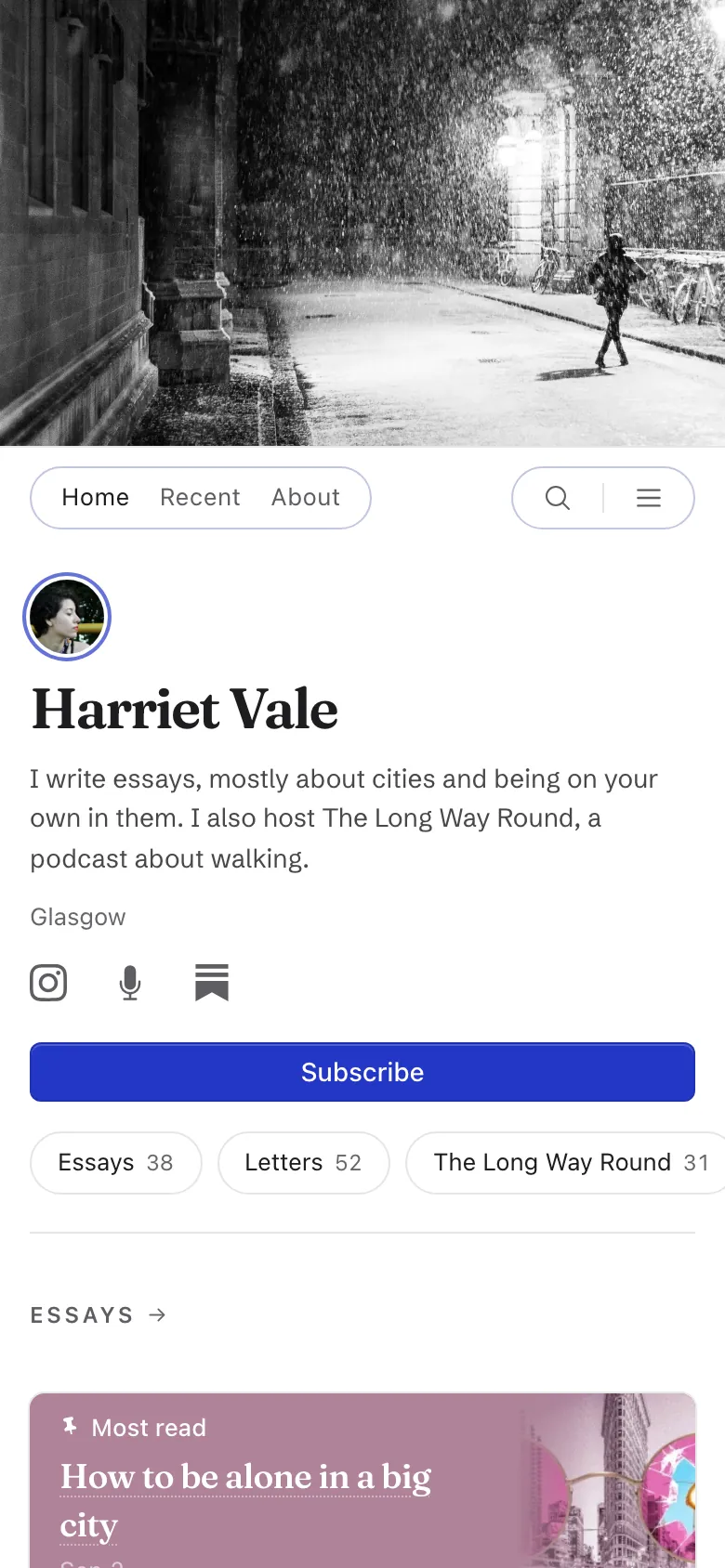
The same site on a phone The same site on a phone The same site on a phone The same site on a phone The same site on a phone The same site on a phone The same site on a phone The same site on a phone The same site on a phone The same site on a phone The same site on a phone The same site on a phone The same site on a phone The same site on a phone

Paste a link from anywhere: a Goodreads book, a Spotify episode, a New Yorker essay, a YouTube talk. It shows up with its cover, title, and source.

And new work from Substack, Medium, ORCID, and podcast feeds comes in on its own.

No. 1 Features

The things you need.

29 themes, each one a paper, an ink, and a typeface.

Try one on. Your sections, pins, and order stay where you put them.

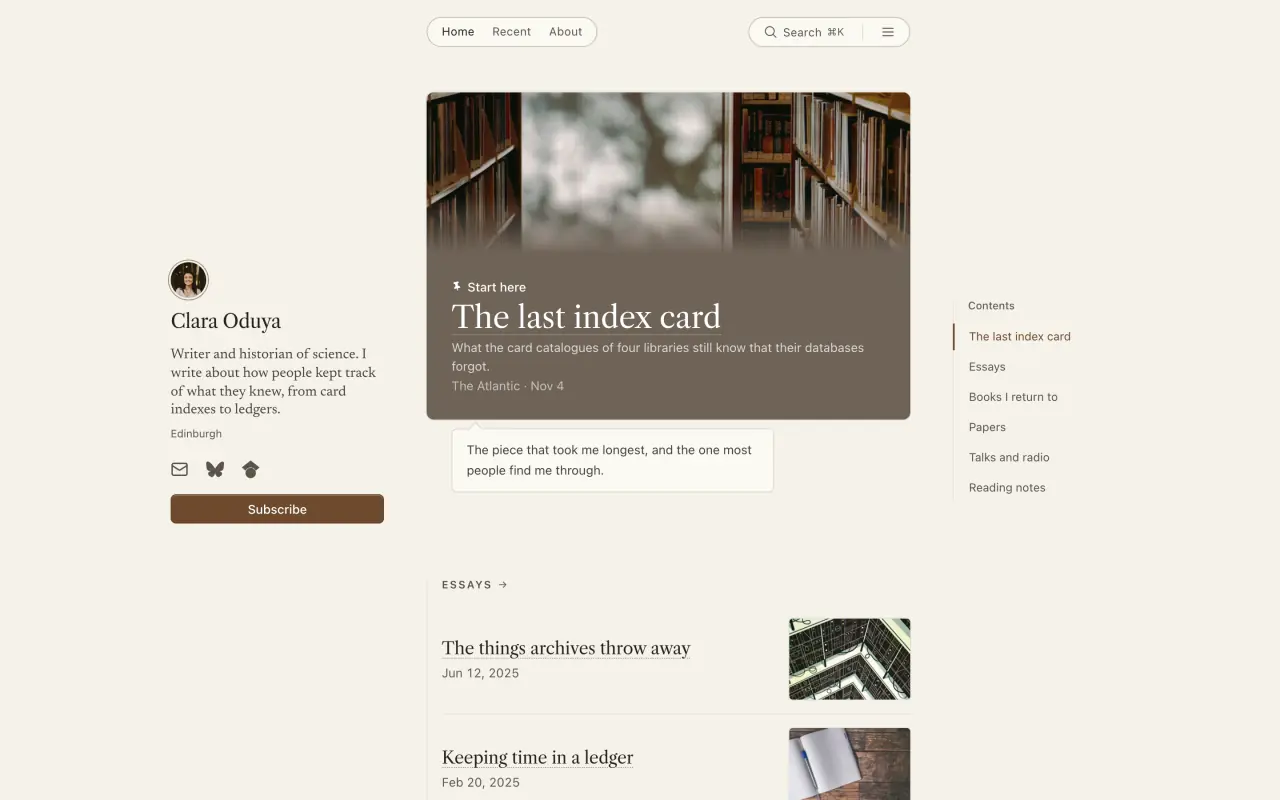
Clara Oduya’s site in the Book page theme
Book page, a theme for writers, on Clara Oduya’s site.

One link in. A whole site out.

You don’t fill in a form or pick a template first. Here’s what happens when you start.

  1. Step 1: You paste a link

    Your newsletter, an author page on a magazine, a Linktree, your own site, or your ORCID. One is enough.

    Other ways to start: reading it… Scholarly work

    Or see a live example: micah.linkfount.com

  2. Step 2: Linkfount gathers your work and looks around the web

    It reads the link, follows it to the rest of your writing, then searches for the bylines, episodes, and profiles the link didn’t mention. Everything is sorted into sections.

  3. Step 3: You edit the draft and keep it

    You land on the draft before you’ve made an account. Change the theme, fix your bio, take out what isn’t yours, add a link it missed. Then sign up to keep it.

After that, it keeps working

CheckupsEvery plan
Flags a missing bio or photo, or a source that stopped syncing. Every plan
ResearchPaid plans
Each month, searches the web for work of yours that’s missing. Paid plans
Bio polishPaid plans
Suggests fixes for typos and clumsy phrasing in your bio. Paid plans
Monthly reportEvery plan
Views, new pieces, and your top three, by email. Every plan

Each suggestion waits for you to accept or dismiss it. Nothing changes on your site by itself.

Publish anywhere. Your site keeps up.

Linkfount checks the places you publish every day. Here’s a week on Harriet Vale’s site. She didn’t touch it. One essay is waiting for her to say yes.

New on harrietvale.com

Nov 3–9, 2026

  1. Wed, Nov 4

    Ep. 31: The Fife coast in a gale

    Her podcast on Apple Podcasts, out Tuesday in The Long Way Round

    On the site

  2. Fri, Nov 6

    The night bus is a public room

    Her author page on Longreads, out Thursday in Essays

    On the site

  3. Sat, Nov 7

    Why we walk in circles

    Her author page on Aeon, out Friday for Essays

    Waiting for your OK

  4. Mon, Nov 9

    The first frost

    Her newsletter on Substack, sent Sunday in Letters

    On the site

Harriet is made up. Her sources are the kinds autosync follows: a podcast, a Substack, and magazine author pages.
Every 24 hours
Each source is checked once a day. New work comes in with its title, date, and cover.
Straight in, or ask first
Set each source to add work on its own or wait for you. Anything waiting is in Monday’s email.

Why it matters

38%

of the web pages that existed in 2013 were no longer available by 2023.*

Magazines fold, redesign, and lose their archives. So every link you add gets two copies, and your clips can outlast the sites that ran them.

  • Linkfount’s copy The full page, kept on Linkfount’s own storage.
  • Wayback Machine’s copy We ask the Internet Archive to save one as well.

Saved copies are on paid plans. Visitors find both under Saved copies on the link.

* Pew Research Center, “When Online Content Disappears”, May 17, 2024.

Everything you’ve put on your site, in one zip.

Plain CSV files, plus the originals of your images, PDFs, and saved pages. Open it in any spreadsheet, or take it somewhere else. On every plan.

Coming soon

A calendar that keeps itself.

Services, seminars, readings, and meetups on your site, the next one first and past ones filed away.

Want it first? We’ll email you once, when it’s ready.

Coming soon

Sign-ups and RSVPs, without another subscription.

Build a form, put it on your site, and collect what people send in one place.

Want it first? We’ll email you once, when it’s ready.

Coming soon

Let people support your work.

A way for readers and members to give, once or every month, paid straight into your own Stripe account.

Want it first? We’ll email you once, when it’s ready.

No. 2 Why Linkfount?

Simple and flexible.

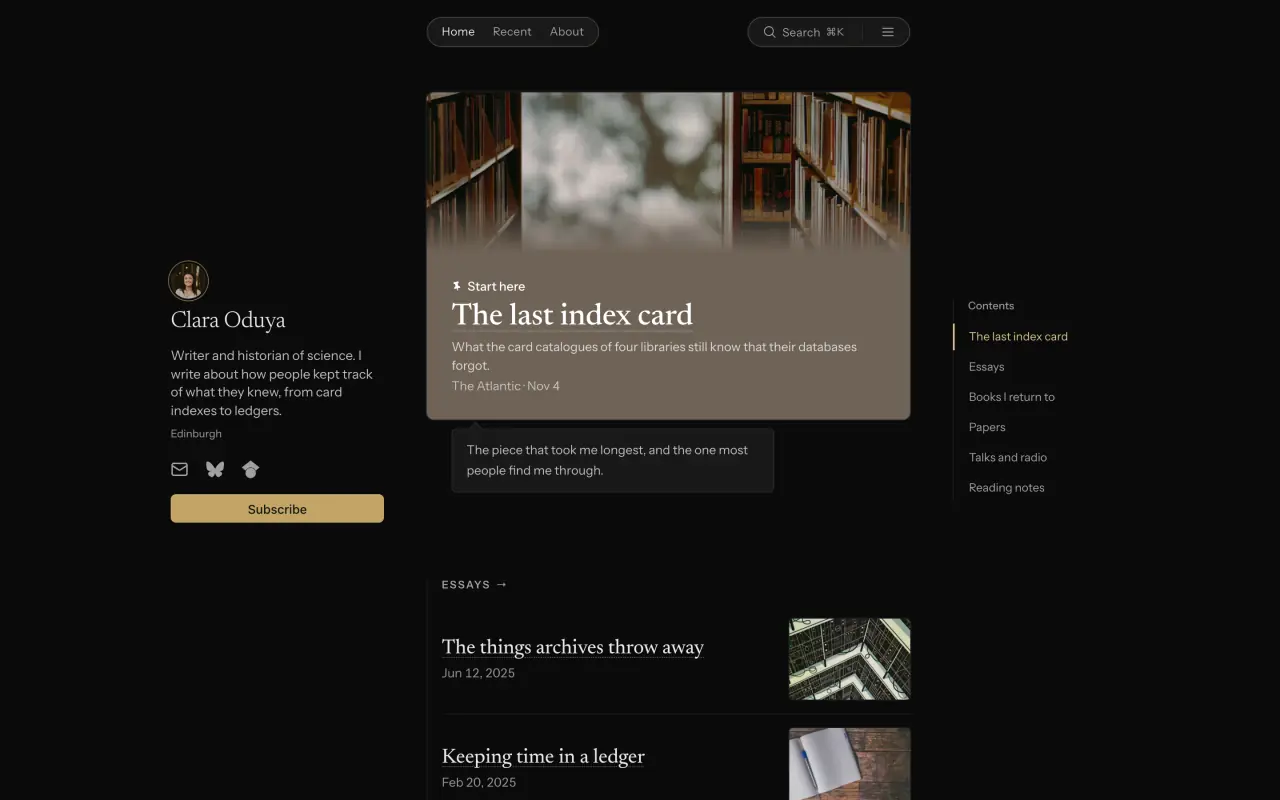
Clara Oduya’s site in the Darkroom theme

A page of buttons

← Less flexibility

Linkfount

A practical middle ground

A blank canvas

More complexity →

The ledger A page of buttons Linkfount A blank canvas

The ledger

How much it holds Buttons Fine for a dozen links. After that, it’s a long scroll. Linkfount Hundreds of pieces, in lists inside lists. Canvas Anything, once you’ve built the pages for it.
Getting started Buttons Paste in your links, one by one. Linkfount Tell it where you publish, and your work comes in on its own. Canvas Pick a template, then fill every page.
Decisions you make Buttons Button colors and their order. Linkfount Which lists to make, and which theme. Canvas Layout, type, spacing, and menus, on every page.
Upkeep Buttons Add each new link yourself. Linkfount New work shows up on its own. Canvas Add each new piece, and keep the template current.
With 6 pieces Buttons Neat. Linkfount Looks finished. Canvas Fine, if you designed it.
With 600 pieces Buttons A long scroll with no dates. Linkfount Lists, a Recent tab, and search that finds things by meaning. Canvas Archive pages and menus you build yourself.
Changing the look Buttons New colors, same column. Linkfount Pick another theme. Nothing breaks. Canvas A new template can mean rebuilding pages.

Weighing a particular tool? See how Linkfount compares →

No. 3 Philosophy

We don’t chase growth at all costs.

  1. 1.

    Do what’s good for users, not what’s good for conversion.

    No bullying pop-ups, no hidden paywalls, and no dark patterns that make it hard to export your work, cancel, or leave.

    A pop-up asks your visitors for their email before they can read.
    Your visitors never see a pop-up.
    Exporting is a paid extra, and canceling means a call or a chat.
    Export is free on every plan. You can cancel anytime from your settings.
  2. 2.

    Convention over configuration.

    Solve problems like layout once, and well. Tools that try to be everything for everyone end up confusing, and so do the sites people build with them.

    A hundred settings, and a new template means fixing every page.
    Pick a theme. Switch anytime, and nothing breaks.
  3. 3.

    Use AI tastefully.

    Leave the writing to people; the web has enough slop. Use AI for the chores: keeping things organized, catching typos, and finding work you’ve already written.

    A button offers to write your next post for you.
    You write; it tidies up.
    You hunt down every old byline yourself.
    It finds pieces you published elsewhere, catches typos in your bio, and sorts links into lists. You decide what stays.
  4. 4.

    Beauty, not vanity.

    Make sites beautiful by making them useful, so visitors find what they came for. Never trade that for effects that only impress.

    A splashy home page, and the essay they came for is three menus deep.
    Lists inside lists, a date on every piece, a Recent tab, and search on every site.
  5. 5.

    Don’t colonize attention.

    Make it easy to find things and get the updates you want. Never try to keep you or your visitors scrolling; we aren’t paid for attention.

    A feed ranks posts to keep you scrolling, and last year’s best essay sinks out of sight.
    Nothing ranks, boosts, or buries anyone’s work. Recent goes by date, not by engagement.
    Notifications and streaks are tuned to pull you back.
    Visitors choose how they hear from you: by email, or by RSS for the whole site or a single list.
  6. 6.

    Charge fair prices. Don’t make users the product.

    Let users pay us directly, so we never need to sell your attention or your visitors’.

    It’s free because you’re what’s being sold.
    No ads and no investors. Subscriptions pay for Linkfount, and we never sell your personal information.*

* From our privacy policy: “We never sell your personal information to advertisers or data brokers.”

— Micah Latty, founder

No. 4 Prices

Free for as long as you like.

Paid plans billed

Free

Your links and reading lists on a public page, kept at your own pace.

$0

Create your free site

No card needed.

What’s free

  • Unlimited public links and reading lists
  • Import from browsers, Instapaper, Pocket, and more
  • Search, lists, and a yourname.linkfount.com address
  • Email sign-ups, click counts, and CSV exports

Individual

Your own website, with everything you’ve published in one place.

$228 $19 a month

Start with Individual

Cancel anytime.

Everything in Free, and

  • New work pulled in automatically from your newsletter, bylines, and profiles
  • Posts, plus email digests that send subscribers your new work
  • Custom domain, cover photo, and expanded themes
  • Hosted PDFs with citations, tags, and full-text search
  • A clean reader view for PDFs and supported articles
  • Site snapshots and detailed analytics

Professional Coming soon

For people who take inquiries, bookings, or submissions.

$588 $49 a month

Start with Professional

Forms are coming soon.

Everything in Individual, and

  • Sign-up and inquiry forms on your site
  • Forms that accept file uploads

Organization Coming soon

One account for a parish, a lab, or a club.

$1,788 $149 a month

Start with Organization

Team features are coming soon.

Everything in Professional, and

  • Teammates as admins or editors
  • Several sites under one team
  • One bill for the organization

The fine print

See a real site

1. No ads. The people who use Linkfount pay for it.

2. You can export your links and subscribers any time, on any plan.

3. Paid plans cancel anytime, with no contract.

If the price is a problem, send us a note and we’ll work something out.

No. 5 Try it

See it work before you sign up.

Where Harriet Vale publishes

  • Her author page

    longreads.com/author/harriet-vale Bringing in 38 essays… 38 essays, in Essays

    Importing Connected
  • Her newsletter

    harrietvale.substack.com Bringing in 52 letters… 52 letters, in Letters

    Importing Connected
  • Her podcast

    podcasts.apple.com/the-long-way-round Bringing in 31 episodes… 31 episodes, in The Long Way Round

    Importing Connected
Harriet Vale is made up, but this is a real Linkfount page, rebuilt after each import.
What you're adding

On your site, you paste a link and the title, picture, source and date fill in on their own. Try one of these.

Where it appears
adapark.linkfount.com
Where it appears

Sections, in order

  1. Projects
  2. Writing
  3. Talks
  4. Reading
Pinned to the top
Look
On your own site you do this in the editor, and the page changes the same way.

Want to see yours? Paste your link at the top of the page.

No. 6 Questions

Asked and answered

How is this different from a website, a link-in-bio page, or a newsletter?
A website is a lot of work. A link-in-bio page holds too little. A newsletter or social account keeps your readers on someone else’s platform. Linkfount sits in between: your links, posts, PDFs, papers, books, and events, sorted into lists (and lists inside lists), with the design, search, and a Recent page handled for you.
Do I need to be technical?
No. Paste a link and you’ll see your site before you make an account. After that, adding something means pasting a link or uploading a file.
Will my site look empty if I only have a few things?
No. Six links, each with a line on why you chose it, look like a well-kept shelf. Four hundred look like a library. Your site is organized into lists you choose, so it doesn’t depend on how often you post.
Is there a feed or an algorithm?
Not one that decides who gets seen. Linkfount has no feed that ranks, boosts, or buries anyone’s work. Readers follow you directly, by email or by subscribing to your site (or a single list) in any RSS reader.
Who pays for Linkfount?
The people who use it. Linkfount is bootstrapped and paid for by subscriptions, not investors or advertisers. There are no ads, and nothing pops up when your visitors arrive.
Can I leave?
Yes, any time, on any plan. Download a zip of your items, lists, and subscribers as spreadsheets, with your images. If you use your own domain, point it wherever you go next.
When is Linkfount the wrong choice?
If you need a shop or a checkout, use a website builder; Linkfount doesn’t take payments. If you want a custom design, a builder or a developer will give you more control. And if you want an algorithm to find you an audience, that’s what social platforms are for.